Large format printer buying guide
Large format printer buying guide
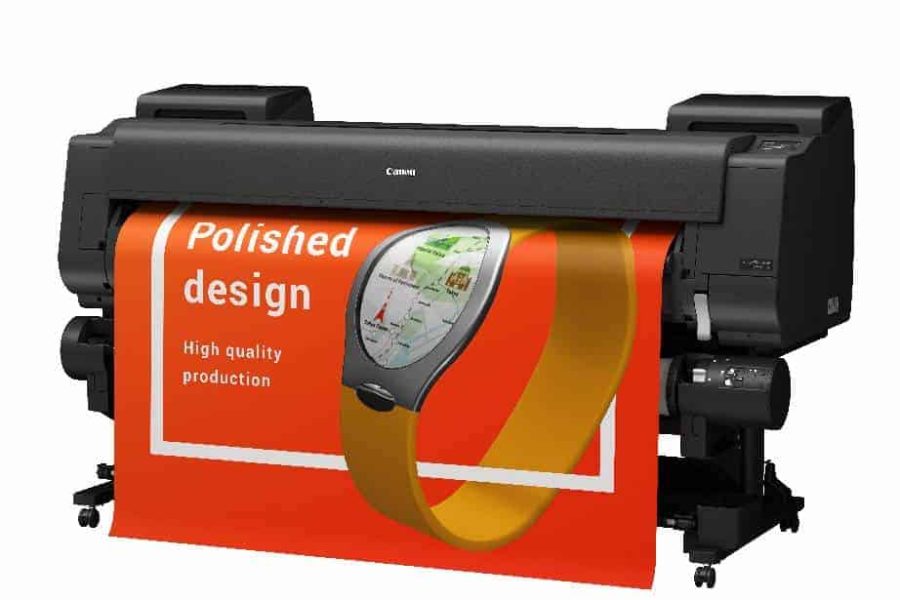
Choosing a large format printer comes down to three questions: what size you need, what you print, and what it will cost to run. This guide compares the HP, Canon and Epson large format printers we sell most, using real running costs from our current prices, so you can see the full picture before you buy.
1. Choose by size
The size of a large format printer is the widest roll it takes. A wider large format printer also takes narrower rolls, so a 36-inch model will happily print on 24-inch paper too.
| Size | Roll width | Prints up to | Good for | Shop |
|---|---|---|---|---|
| A1 | 24-inch (610mm) | A1 and A2 | Plans, drawings and posters in most offices and studios | A1 large format printers |
| A0 | 36-inch (914mm) | A0, A1 and A2 | Full-size drawings, site plans and larger posters | A0 large format printers |
| 44-inch and wider | 1118mm and up | Larger than A0 | Graphics, photo, exhibition and signage work | Graphics and photo large format printers |
Still deciding? Read A1 or A0? Here's the printer width you actually need.
2. Choose by what you print
CAD, plans and maps
Sharp lines and fast prints on plain paper. Most architects, engineers and builders start here.
CAD and plans large format printersPosters, graphics and photo
More ink colours for a wider colour range and smoother photos, on satin, gloss and fine art media.
Graphics and photo large format printersScan, copy and print
A built-in scanner lets you copy and mark up drawings without a separate machine.
Multifunction large format printersSignage and outdoor
Eco-solvent and UV LED inks print durable, outdoor-ready banners and vinyl.
Eco-solvent and UV LED explained3. HP vs Canon vs Epson at a glance
All three make excellent large format printers, and we are accredited with all three, so we have no reason to push one over another. The real differences are in ink tank sizes and printheads, which is where your running costs come from.
| Brand | Popular models | Colour ink sizes | Printhead | Worth a look if |
|---|---|---|---|---|
| Canon imagePROGRAF | TC-21, TM-240, TM-250, TM-340, TM-350 | 70ml (TC-21), 55ml (TM-240/340), 130ml or 300ml (TM-250/350) | Replaceable by you | You print a lot and want the lowest ink costs: the TM-250 (A1) and TM-350 (A0) take 300ml tanks |
| HP DesignJet | T230, T630, T850 | 29ml (HP 712), black up to 80ml | Replaceable by you | You print plans in lower volumes and want a familiar, compact large format printer |
| Epson SureColor | SC-T2100, SC-T5405 | 26ml or 50ml (SC-T2100), 110ml or 350ml (SC-T5405) | Built in | You want the lowest purchase price at A1, or very low ink costs at A0 |
4. Cost of ownership: what it really costs to run
The cheapest large format printer to buy is not always the cheapest to own. Ink is the biggest running cost, and larger ink tanks cost far less per millilitre. Here is the cost of colour ink per ml for popular models, using the largest colour tank each one takes.
| Large format printer | Size | Printer price | Largest colour tank | Colour ink per ml |
|---|---|---|---|---|
| Epson SureColor SC-T2100 | A1 | £469 | 50ml, £42.08 | 84p |
| Canon imagePROGRAF TC-21 | A1 | £475 | 70ml, £49.95 | 71p |
| HP DesignJet T230 | A1 | £651 | 29ml 3-pack, £85.10 | 98p |
| Canon imagePROGRAF TM-240 | A1 | £749 | 55ml, £43.50 | 79p |
| HP DesignJet T630 24-inch | A1 | £949 | 29ml 3-pack, £85.10 | 98p |
| Canon imagePROGRAF TM-250Lowest A1 ink cost | A1 | £998 | 300ml, £114.71 | 38p |
| Canon imagePROGRAF TM-340 | A0 | £1,199 | 55ml, £43.50 | 79p |
| HP DesignJet T630 36-inch | A0 | £1,399 | 29ml 3-pack, £85.10 | 98p |
| Epson SureColor SC-T5405 | A0 | £1,478 | 350ml, £124.58 | 36p |
| Canon imagePROGRAF TM-350Lowest Canon A0 ink cost | A0 | £1,599 | 300ml, £114.71 | 38p |
Our prices excluding VAT on 25 October 2026. Prices change, so check the product page for today's price. Cost per print depends on how much of the page you cover and the print quality you choose.
A worked example
The Canon TM-350 costs £400 more than the TM-340. But its 300ml tanks cost 38p per ml against 79p for the TM-340's 55ml tanks. Get through a litre of colour ink and the TM-350 costs about £382 in ink, while the TM-340 costs about £791. That saving of around £409 covers the difference in price, and every litre after that is money back in your pocket.
It works the same way at A1. The Canon TM-250 costs £249 more than the TM-240, but it takes the same 300ml tanks as the TM-350, so it pays back the difference in well under a litre of colour ink. It also ships with 490ml of free ink.
Other running costs to plan for
- PrintheadsOn Canon TM models (PF-06, £349.50) and HP DesignJet T models (HP 713 kit, £256.45) you can replace the printhead yourself when it wears. Epson SureColor printheads are built in.
- Maintenance cartridgesThese collect waste ink and are replaced from time to time, for example the Canon MC-31 at £64.20.
- Paper and mediaBuying the right roll for your large format printer avoids waste. Use our paper fit lookup or the paper and media finder.
- Service and warrantyA warranty or service agreement fixes your costs if something goes wrong.
- Inclusive ink contractsWith an inclusive ink contract you only pay for the ink you use, ink is delivered automatically, and warranty cover is included for the length of the agreement.
- Spread the costLeasing and rental is available over 2, 3, 4 or 5 years.
5. Why buy your large format printer from Design Supply
- Specialists since 1991We are in our 36th year and have sold over 7,000 large format printers to architects, photographers and signage businesses across the UK.
- Accredited with HP, Canon and EpsonIncluding Canon Gold Partner status, so you get impartial advice across all three brands.
- Price PromiseWhatever price you have been quoted elsewhere, we will beat it. See how it works.
- 48-hour deliveryTo anywhere in the UK.
- Installation and trainingWe can set your large format printer up at your premises and show your team how to get the best from it. Find out more.
- Fast supportFaults are diagnosed remotely where possible, and a technician is on site within an average of four working hours, Monday to Friday, depending on your service contract. Service and repairs.
- Trade in your old large format printerGet value from your old machine when you upgrade. Trade in.
- Total Commitment GuaranteeIf we fail to delight you after giving our expert advice, we will give a full refund or replacement. Our guarantees.
Not sure which large format printer is right for you? Talk to a specialist.
020 7842 1555Ask us a questionLarge format printer technologies
Aqueous: thermal or Piezo inkjet printers using an ink known as aqueous or water-based. The term water base is a generally accepted misnomer. The pigment is held in a non-reactive carrier solution that is sometimes water and other times a substitute liquid, including a soy based liquid.
Aqueous ink generally comes in two flavours, Dye and UV (alternatively known as pigment). Dye ink is high colour, low UV-resistant variety that offers the widest colour gamut.
UV ink is generally duller in colour but withstands fading from UV rays. Similar in general principle to desktop inkjet printers. Finished prints using dye inks must be laminated to protect them if they are to be used outdoors while prints using UV inks can be used outdoors un-laminated for a limited time.
Various materials are available, including canvases, banners, metallised plastic and cloth. Aqueous technology requires that all materials be properly coated to accept and hold the ink.
Solvent: this term is used to describe any ink that is not water-based. Piezo inkjet printers whose inks use petroleum or a petroleum by-product such as acetone as its carrier liquid. “Eco-solvent” inks usually contain glycol esters or glycol ether esters and are slower drying.
The resulting prints are waterproof. May be used to print directly on uncoated vinyl and other media as well as rigid substrates such as Foam Board and PVC.
Dye sublimation: inks are diffused into the special print media to produce continuous-tone prints of photographic quality.
UV: Piezo inkjet printers whose inks are UV-curable (Dry when cured with UV light). The resulting prints are waterproof, embossed & vibrant. Any media material can be used in this technology, polymer made media are best. Ceramics, glass, metals, and woods are also used with printing with this technology.
Pen plotter: a pen or pens are used to draw on the print substrate. Mainly used for producing CAD drawings. Generally being superseded by digital technologies such as Solvent, Aqueous, and UV. Even now plotters is a term used when customers want a printer. We also have a range of plotter materials which you can see here.
Need some advice? Our specialists can guide you.